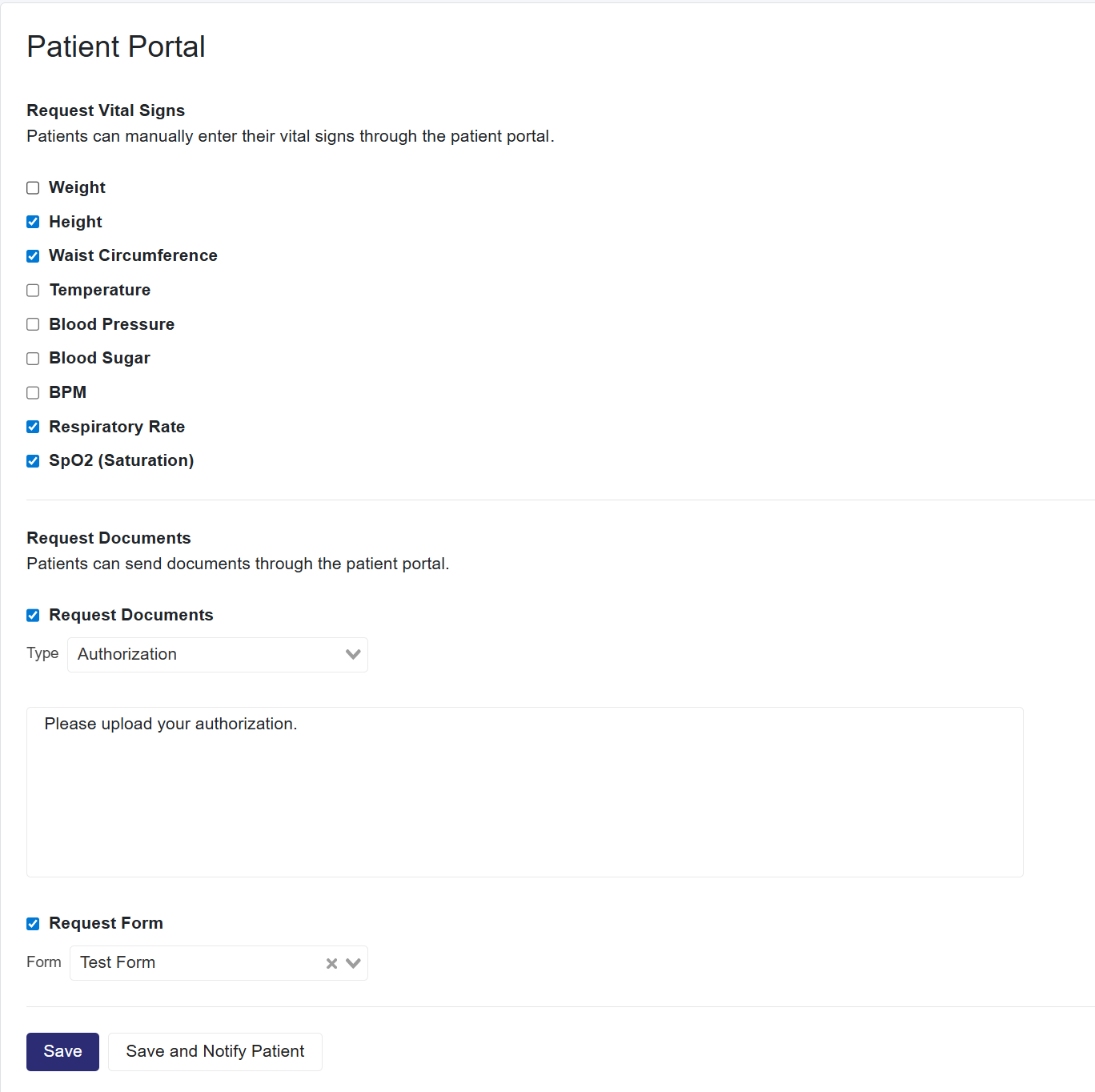
Once the Patient has an active patient portal set up, you can navigate to the patient profile (where their demographic information is saved) and request Vitals, Documents, and Forms.
Request Vitals
- Select the type of vitals you are requesting for the patient
- Select Save to send them later or
- Save and Notify Patient to save and send the request to the patient.
Request Documents
- Select Request Form
- Use the dropdown to select the Type of document
- Comments (Optional)
- Select Save to send them later or
- Save and Notify Patient to save and send the request to the patient
Request Forms
- Select Request Documents
- Use the dropdown to select the Type of Form
- Select Save to send them later or
- Save and Notify Patient to save and send the request to the patient
Clinic Requests Rules
-
When a clinic requests Vitals, Documents, or Forms, you will receive a notification.
-
Notifications are sent by WhatsApp, Email, or SMS, depending on the clinic’s chosen setting