Pricing for Billable Items (Labs, Medications, Procedures, Immunizations)
- Go to the Billing dropdown and select Pricing and Taxes.
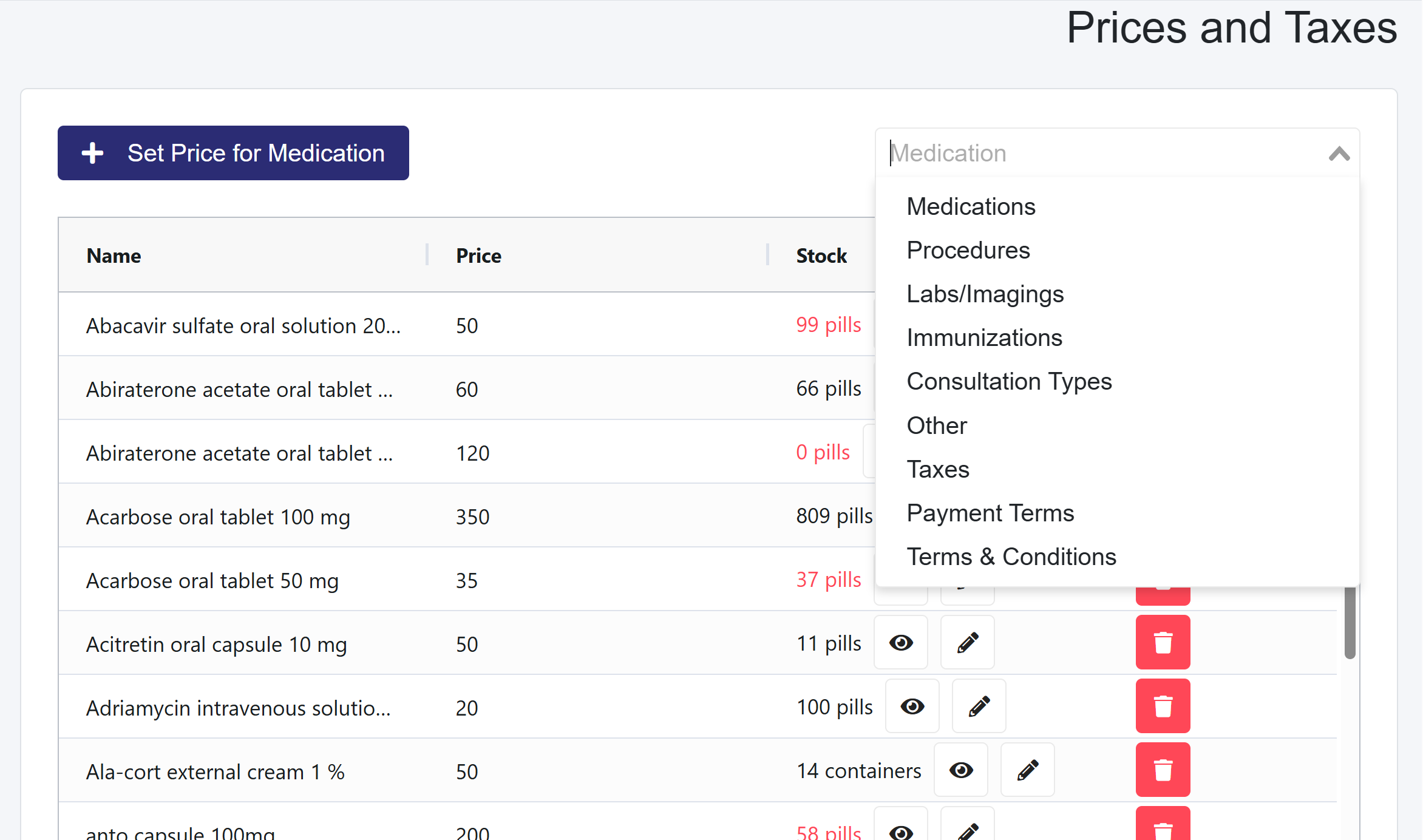
- Select one of the four categories (Labs, Medications, Procedures, or Immunizations) from the dropdown menu. For a visual walkthrough on how to add items to the bill automatically when consulting a patient, refer to this video.
- Click the + Set Pricing button, enter details, and click Save.
Additional Financial Options in the dropdown to the right
- Consultation Types: Standard patient fees, such as appointment fees for children, adults, and tourists, can be created here.
- Other: Any item the clinic bills for that would not be considered part of the first four (Labs, Medications, Procedures, Immunizations) sections, such as Ambulance Services.
- Taxes: Add applicable taxes to Sales Receipts and Invoices.
- Payment Terms: Define invoice due dates.
- Terms and Conditions: Develop clear and concise legal terms for invoices and receipts.