Table of Contents
Admin Features
There are two types of admins.
Clinic Admin- Usually, this will be a senior, usually a supervisor. Still, you can assign these privileges to any user. Still, depending on their user type (doctor vs. receptionist), it will dictate what they can do, especially as it relates to medical.
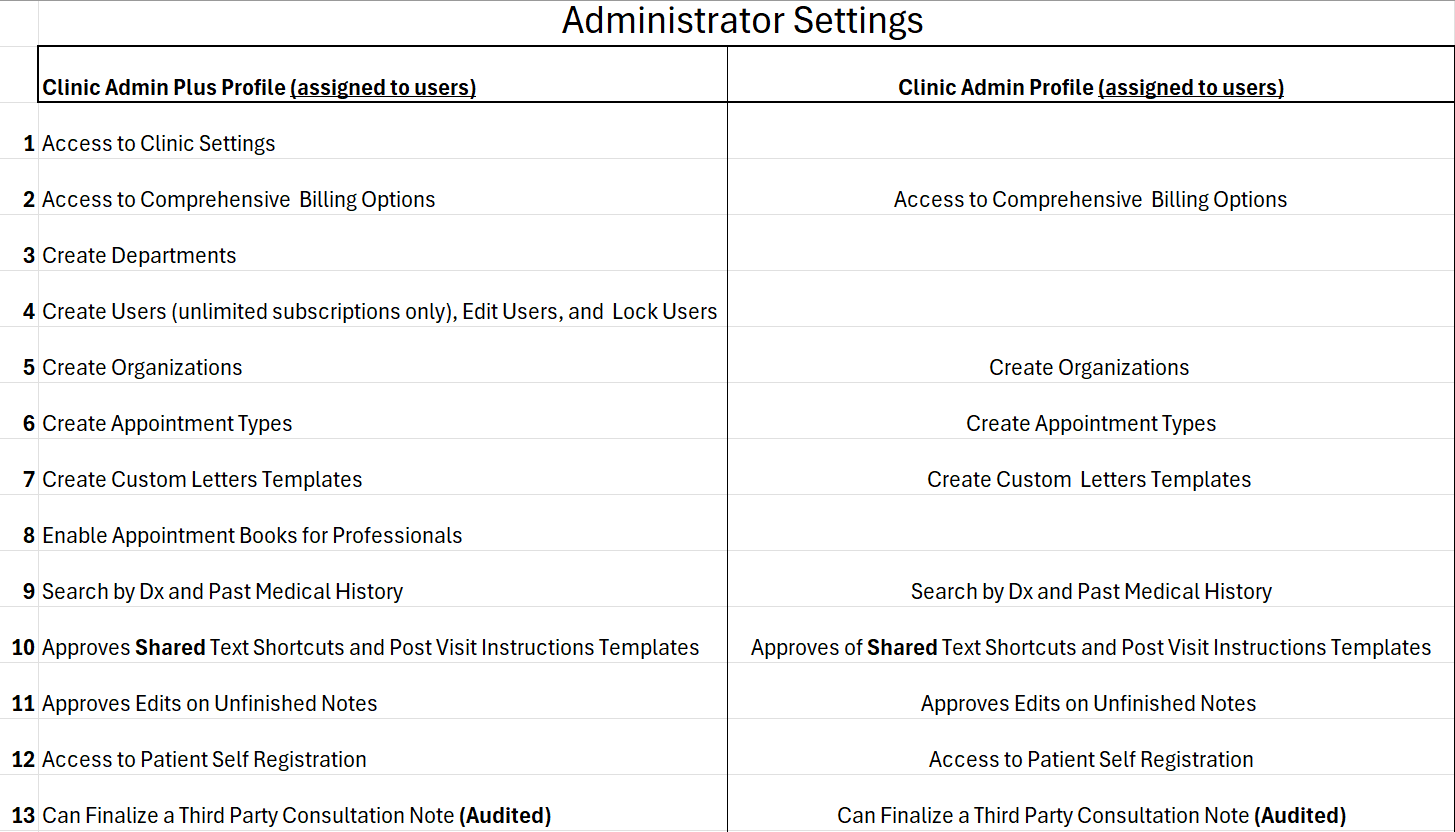
Clinic Admin Plus- Usually, this is the clinic owner. Still, you can assign these privileges to any user. Still, depending on their user type (doctor vs. receptionist), it will dictate what they can do, especially as it relates to medical.

Quick Documentation
- The [ ] quick documentation feature works for sections where templates can be created that also utilize Rich Text Fields:
-
- Post Visit Instructions (Clinic Admin or Admin Plus)
- Custom Letter
You can visit this link to learn more about this quick documentation feature.
Which dropdowns let users create medications?
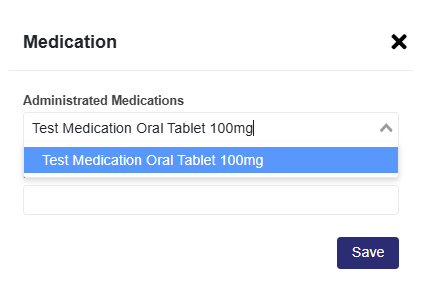
Medications can be created in the drop-downs in many places. These are
- Pricing and Taxes: When creating pricing for a medication, when you select the dropdown and the medication is not there, start typing it out.

Custom Letter (email)
When creating a custom letter (email), at the bottom, you can choose between:
Send Text As: Attached PDF (the message created in the email body is sent as a PDF) will automatically include your clinic name in the default email body message.
Send Text As: Email Body (the message is seen in the email body by the receiver); include your contact information in the email body. For faster documentation, add it to every template, or save a contact template to use when you need to add contact information in your message.

Consultation Notes Must Knows
- If a note is not discharged, it stays open for 48 hours.
- After 48 hours, it saves to the Unfinished section, which is for unfinished notes.
- If an unfinished note is unlocked, the user has 24 hours before it is finalized.
- Amended notes are for notes that are finalized (Discharged or an unfinished note that was unlocked and finalized)